
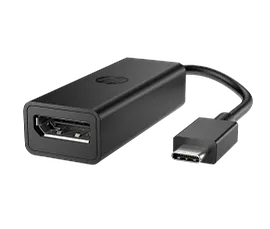
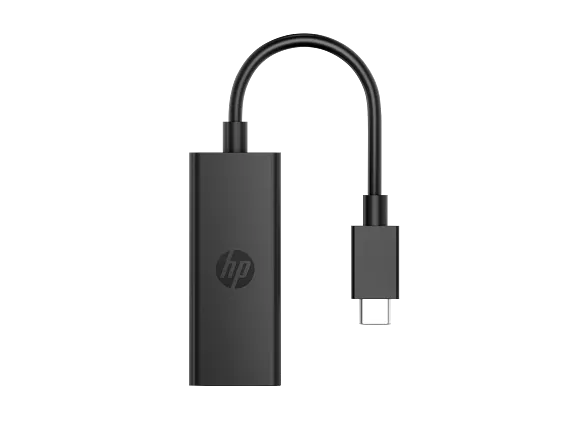
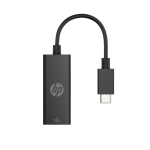
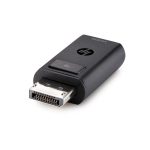
HP USB-C to DisplayPort Adapter G2 Advanced Reliable
HP USB-C to DisplayPort Adapter G2 supports DisplayPort 1.4, up to 8K 60Hz resolution, plug-and-play connectivity, and compatibility with Windows, macOS, ChromeOS, iPadOS, and Android.
HP USB-C to DisplayPort Adapter G2 (8Y8Y1AA)
USB-C to DisplayPort adapter that connects USB-C devices to DisplayPort monitors with support for DisplayPort 1.4 and resolutions up to 8K (7680 × 4320) at 60Hz. Its plug-and-play design and broad multi-OS compatibility make it ideal for business, home, and professional display setups.
Specifications of HP USB-C to DisplayPort Adapter G2
Specification |
Details |
|---|---|
Brand |
HP |
Model |
8Y8Y1AA |
Product Type |
USB-C to DisplayPort Adapter |
Input |
USB Type-C Male |
Output |
DisplayPort Female |
DisplayPort Version |
DisplayPort 1.4 |
Maximum Resolution |
Up to 7680 × 4320 @ 60Hz (8K) |
Plug & Play |
Yes |
Driver Required |
No |
Supported OS |
Windows 10, Windows 11, macOS, ChromeOS, iPadOS, Android |
Minimum System Requirements |
USB Type-C with DisplayPort Alt Mode, Thunderbolt 3 or Thunderbolt 4 |
Cable Length |
12 cm |
Dimensions |
180 × 23.7 × 15.3 mm |
Weight |
32.5 g |
Color |
Black |
Connectivity
Input
- USB Type-C Male
Output
- DisplayPort 1.4 Female
What’s in the Box
- 1 × HP USB-C to DisplayPort Adapter G2
- Documentation
FAQ
Q1. What is the maximum supported resolution?
A. Up to 8K (7680 × 4320) at 60Hz.
Q2. Does this adapter require drivers?
A. No. It supports plug-and-play operation.
Q3. Which operating systems are supported?
A. Windows 10, Windows 11, macOS, ChromeOS, iPadOS, and Android.
Q4. Does the USB-C port need DisplayPort Alt Mode?
A. Yes, the host USB-C port must support DisplayPort Alt Mode.
Q5. Is it compatible with Thunderbolt ports?
A. Yes, it supports Thunderbolt 3 and Thunderbolt 4 ports.
Reviews
There are no reviews yet.